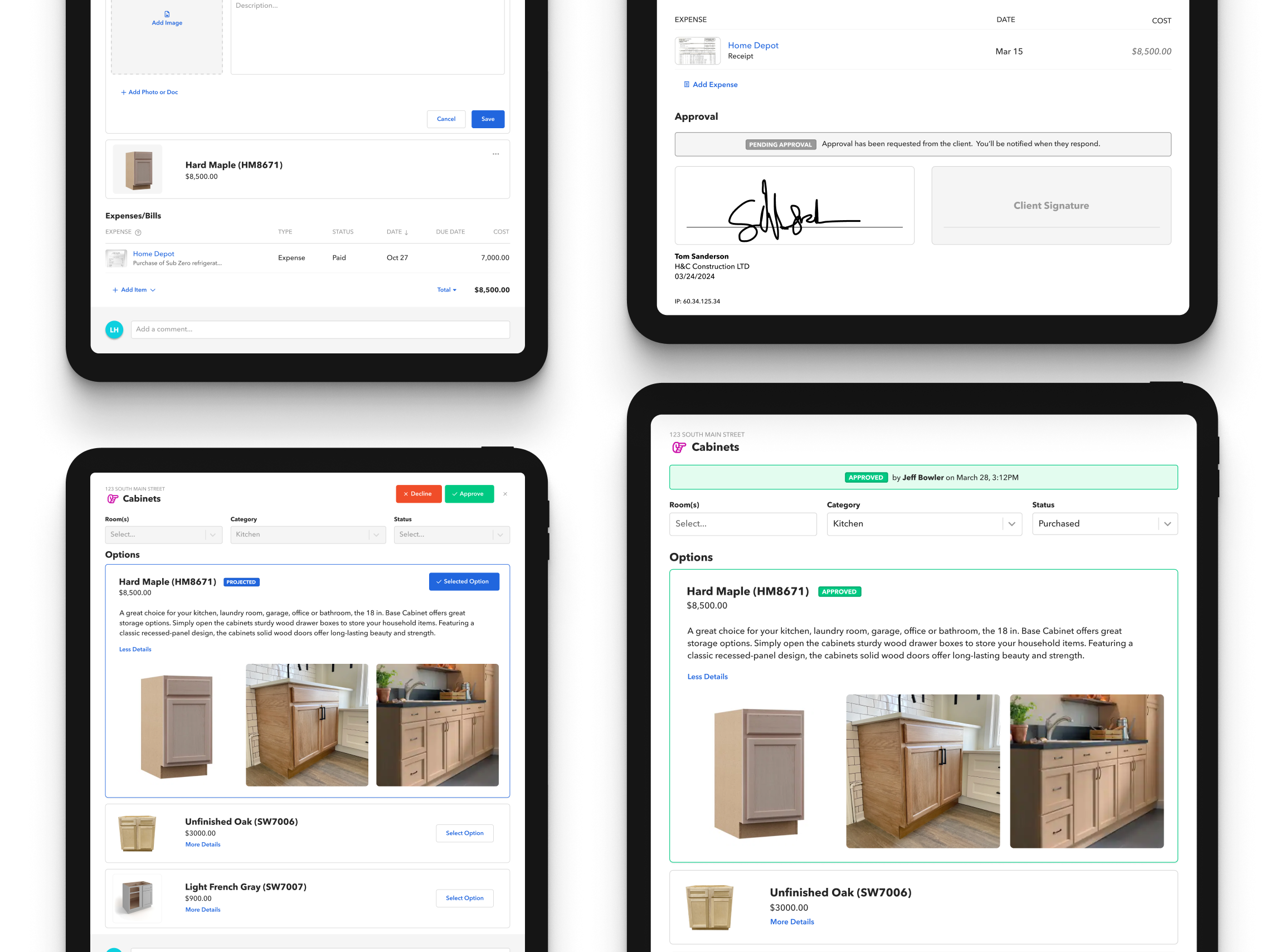
Instant Construction Approvals
By streamlining E-Signatures and Approvals, we made it easier for clients to instantly approve estimates, change orders, and selections—helping builders move projects forward without delays. This led to a 27% increase in finalized approvals and an average of $1.32M in additional approved work, creating a smoother experience for both builders and clients while driving significant business growth.
Design Lead - 2023
Faster Signatures, Quicker Approvals, and a Better User Experience
$1.32m
In additional approved work on avg
+27%
Increase in finalized approvals on avg
~37 mins
Approvals cut from days to 37mins on avg
Timeframe
September 2023 - November 2023
Context
For builders and renovators, getting approvals for estimates, change orders, and selections was messy and inconsistent. Clients often left comments to approve items, making it easy for decisions to get lost or overlooked. This lack of structure led to delays, miscommunication, and frustration, especially on high-value projects where a more professional process was expected.
On top of that, slow approvals stalled project timelines and delayed payments, making it harder for builders to keep work moving.
We set out to fix these inefficiencies by creating a clear approval system with easy tracking while giving builders and clients the option to use E-Signatures when needed. This ensured faster approvals, better record-keeping, and a smoother process for everyone involved.
On top of that, slow approvals stalled project timelines and delayed payments, making it harder for builders to keep work moving.
We set out to fix these inefficiencies by creating a clear approval system with easy tracking while giving builders and clients the option to use E-Signatures when needed. This ensured faster approvals, better record-keeping, and a smoother process for everyone involved.
Problem
The existing approval process was disorganized, making it difficult for builders to track decisions and for clients to feel confident in their approvals.
We needed to build a seamless system that allowed builders to request approvals easily, clients to track their decisions, and signatures to be used when necessary. Without this, approvals would remain fragmented, slowing down projects and limiting revenue opportunities.
We needed to build a seamless system that allowed builders to request approvals easily, clients to track their decisions, and signatures to be used when necessary. Without this, approvals would remain fragmented, slowing down projects and limiting revenue opportunities.
Solution
We created an easy-to-use approval and e-signature system that lets builders quickly request approvals, while clients can review, approve, or sign— all in one place. When needed, clients and builders can sign directly in the app, making the process more efficient and professional.
To keep things flexible, we designed the system to work for estimates, change orders, and selections, with security measures in place to ensure approvals are tracked and verifiable. By simplifying the process, we made it easier, faster, and more reliable for everyone involved.
To keep things flexible, we designed the system to work for estimates, change orders, and selections, with security measures in place to ensure approvals are tracked and verifiable. By simplifying the process, we made it easier, faster, and more reliable for everyone involved.
Why are we doing this?
Imagine you're a builder trying to keep a project on track, but you're stuck waiting on a simple approval. The client left a comment saying "approved"—but where? Was it buried in a thread of updates? Did your team even see it? With no structured system in place, approvals were slipping through the cracks, leading to delays, miscommunication, and growing frustration from both parties.
The very software meant to streamline construction projects was, in reality, making things harder.
At the same time, the fintech team was developing a payments system that would allow clients to pay directly through the platform, creating a new revenue stream for the business. But without a clear approval process, payments stalled alongside project progress, creating costly bottlenecks.
To solve these challenges, we introduced a two-part solution:
1️⃣ A structured approval system that provided clear status tracking and ensured all approvals were properly recorded.
2️⃣ E-Signatures as an add-on for approvals that required a more professional, legally binding sign-off.
By streamlining approvals and integrating a professional signing process, we reduced delays, improved efficiency, and increased adoption of our payments feature—unlocking a major revenue opportunity
The very software meant to streamline construction projects was, in reality, making things harder.
At the same time, the fintech team was developing a payments system that would allow clients to pay directly through the platform, creating a new revenue stream for the business. But without a clear approval process, payments stalled alongside project progress, creating costly bottlenecks.
To solve these challenges, we introduced a two-part solution:
1️⃣ A structured approval system that provided clear status tracking and ensured all approvals were properly recorded.
2️⃣ E-Signatures as an add-on for approvals that required a more professional, legally binding sign-off.
By streamlining approvals and integrating a professional signing process, we reduced delays, improved efficiency, and increased adoption of our payments feature—unlocking a major revenue opportunity
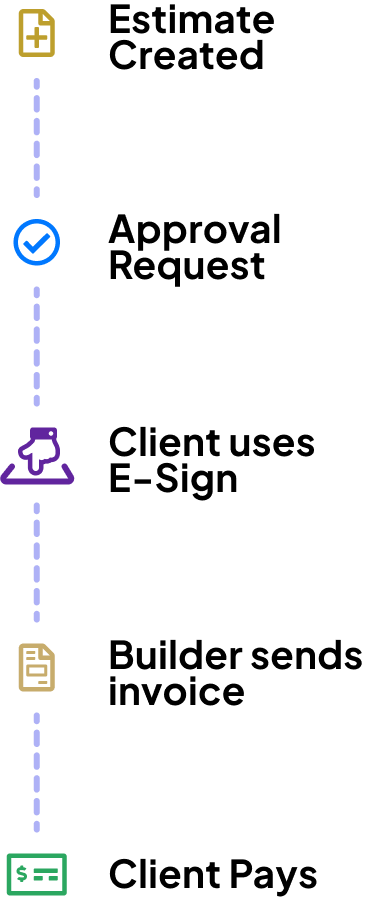

What problems are we facing?
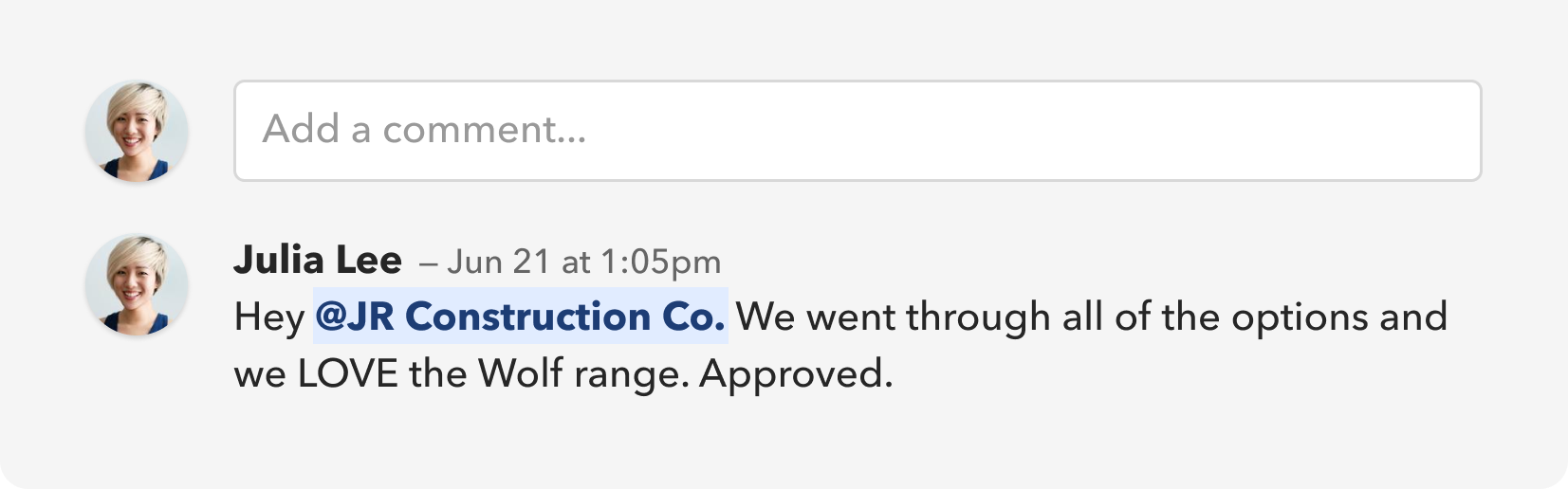
Approvals were done through comments
Almost all approvals were handled through comments, creating issues for both builders and clients. Builders struggled to track approvals, often missing them entirely, which led to delays in ordering materials or starting work. Meanwhile, clients had no assurance that their approvals were received or acknowledged, making the process feel unreliable and unstructured.
Important comments quickly get buried
The activity feed on the main dashboard provided a real-time view of everything happening within the software. However, for large projects with multiple users, tracking approvals became overwhelming. With dozens of updates per day, important approvals could easily get lost in the noise. If builders didn’t stay on top of every update, sifting through endless comments to find approvals was inefficient and time-consuming.
Where do we start?
Beyond capturing signatures, we needed to create a clear and professional approval process that worked for both builders and clients while tying into the new payments system. This meant ensuring that once approvals were given, they were easy to track, secure, and accessible for everyone involved.
So.
Many.
Questions.
Many.
Questions.
- What areas need approvals – What areas would benefit from approvals? Estimates? Change orders? Selection options?
- Approval roles & permissions – Who can approve? Builders needed internal approvals, while clients needed the ability to accept or reject proposals. Could builders override client approvals? If so, how would changes be communicated and tracked? Could a client reject something that's already approved? What if they change their mind?
- Emailing executed agreements – Once signed, how should agreements be automatically sent to both parties to provide a record of approvals?
- Storing – Builders needed a permanent link to signed documents within the app.
- Versioning – How should we handle prior versions of agreements? Should builders be able to download previous versions?
- Signature reuse for pros – Should builders manually sign every time, or could they store and reuse their signature for efficiency?
- Security & compliance – What security measures are necessary to ensure signing intent, prevent unauthorized changes, and maintain approval integrity?
- Streamlining the signing flow
– Send out proposal
- Client signs
- Automatically apply Pro’s signature
- Save final signed version
- Distribute signed agreement
- Both parties receive email confirmation
- PDF updated with timestamp, IP, and signature records
A rough list of initial questions
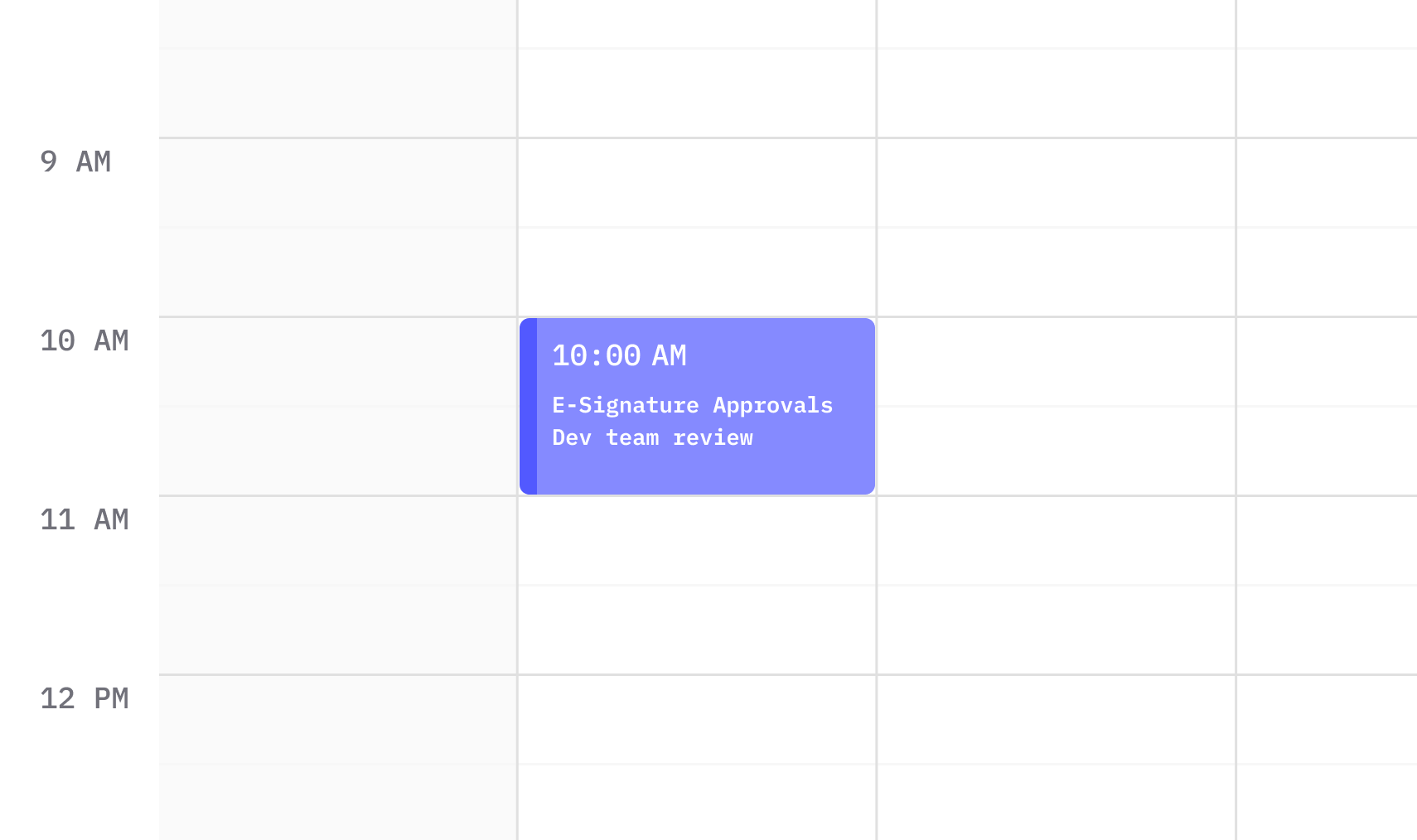
Dev team call scheduled
Now that we had a clear direction and key questions outlined, it was time to meet with the development team. This helped us understand the technical feasibility of our approach and identify any gaps or additional considerations we might have missed.
With both product and engineering aligned, we moved forward with execution.
After meeting with the dev team, we now have a clear path forward. This discussion allowed us to share ideas, explore technical feasibility, and refine our approach within the constraints of a 6-week cycle. With both teams aligned on the scope and execution, we’re ready to move forward with implementation.
Let's look at approvals first
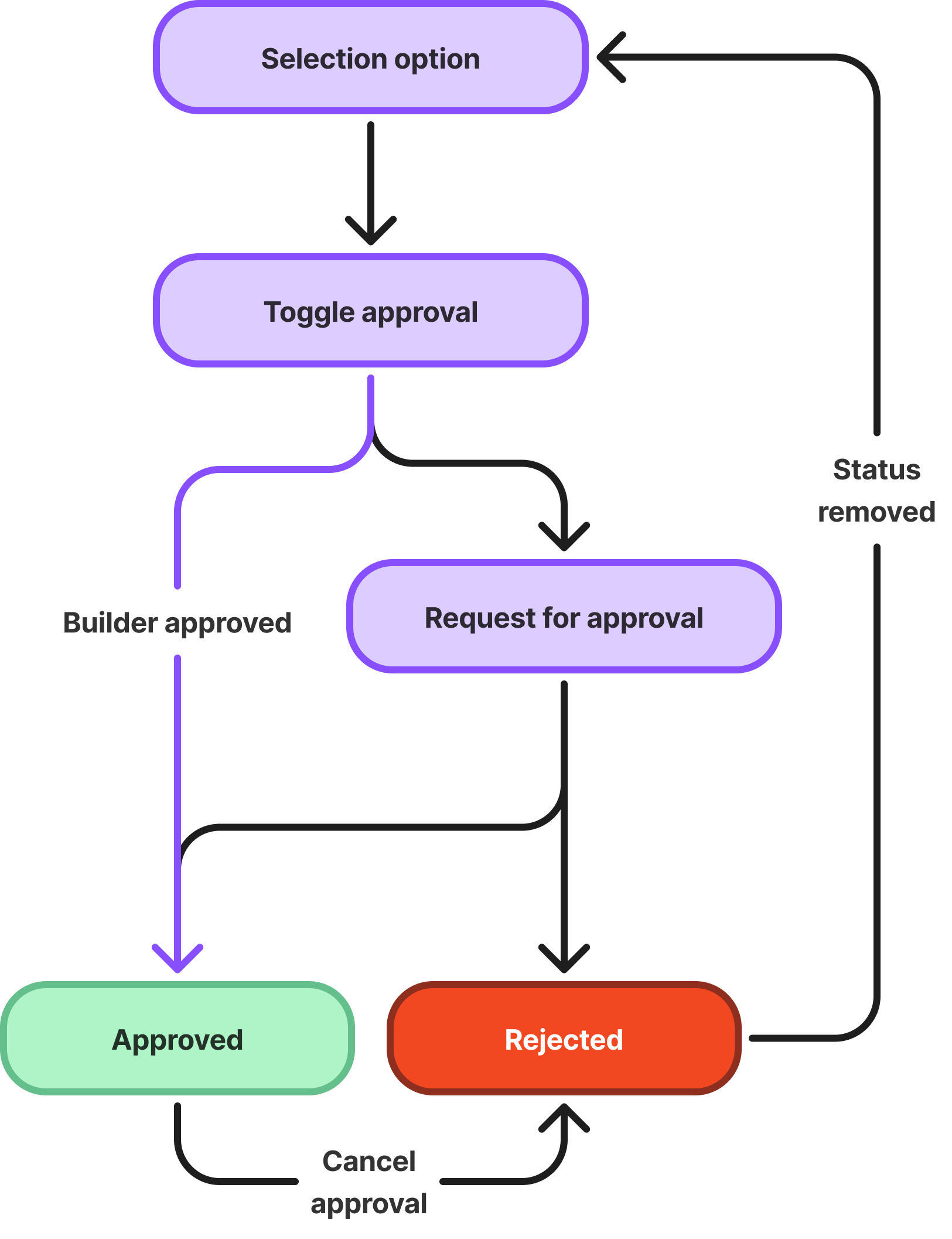
Initial builder user journey
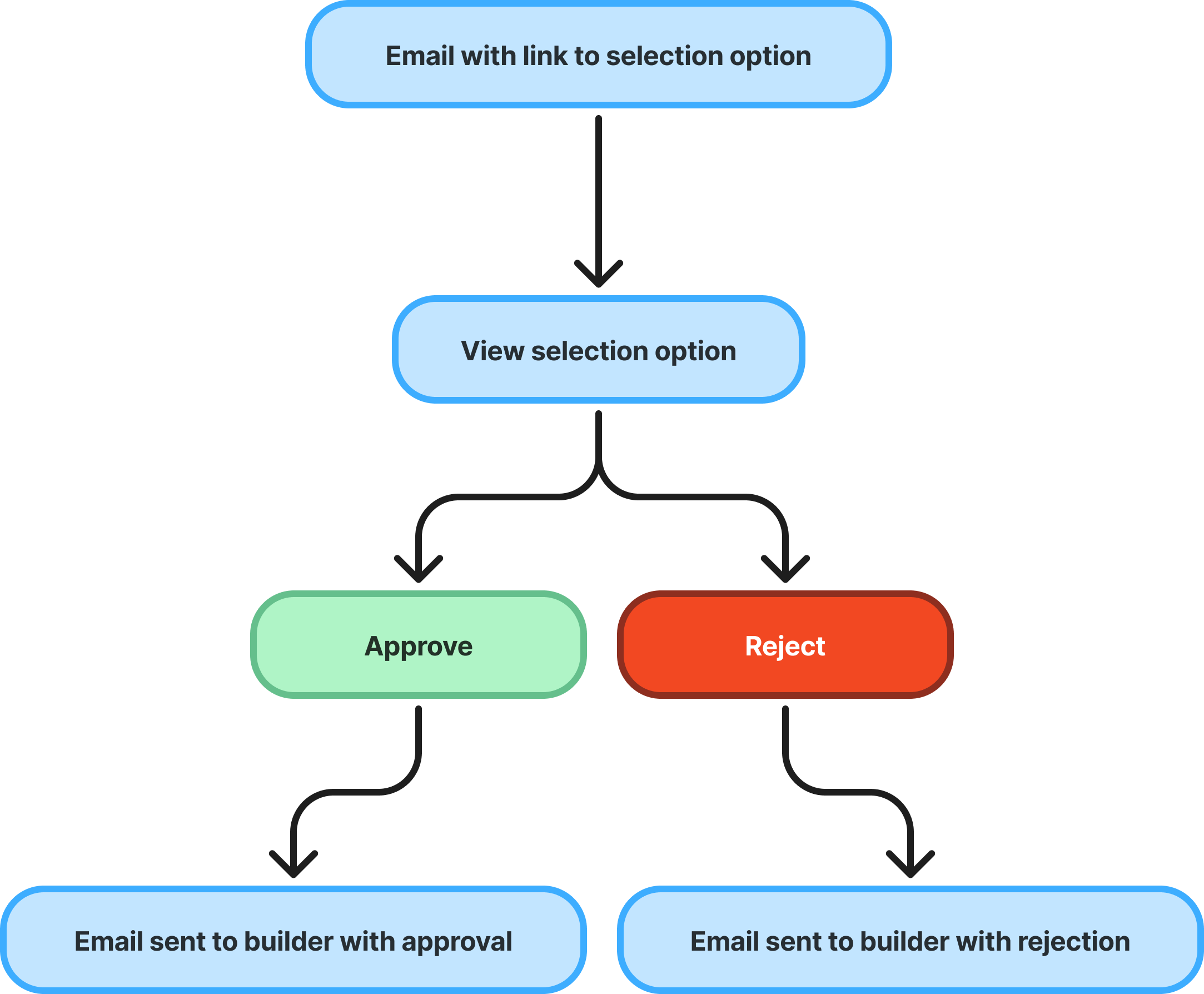
Initial client user journey
Rough user journeys were created to help visualize the path for both the client and the builder.
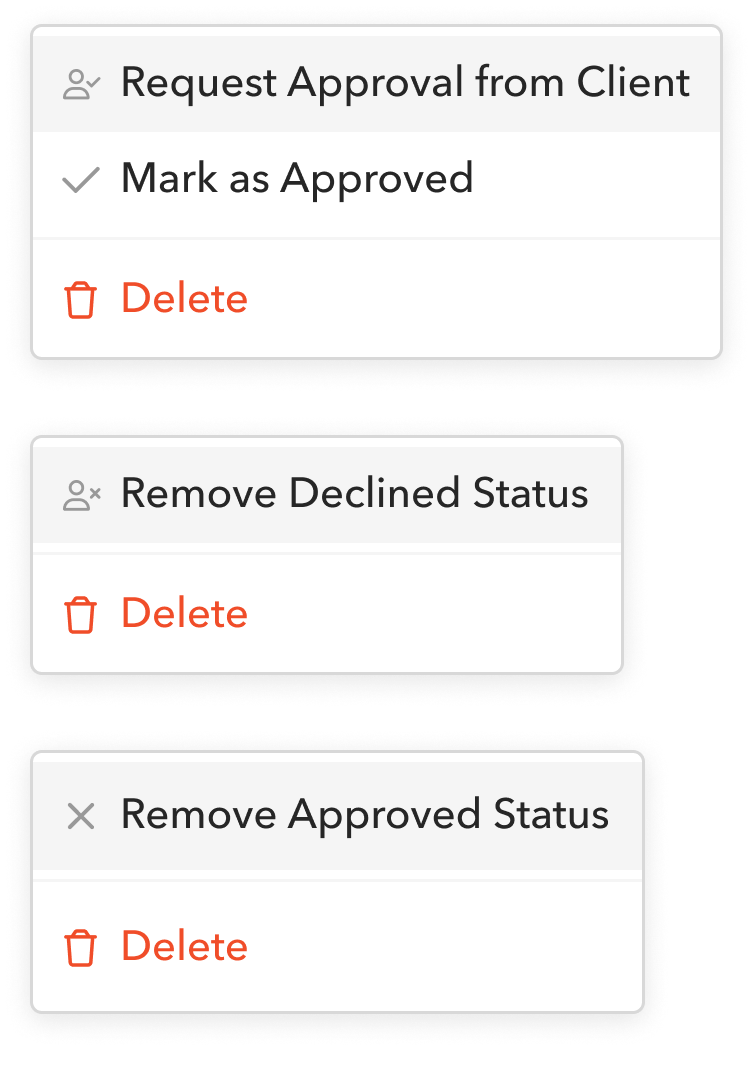
Builder View: Dropdown variations
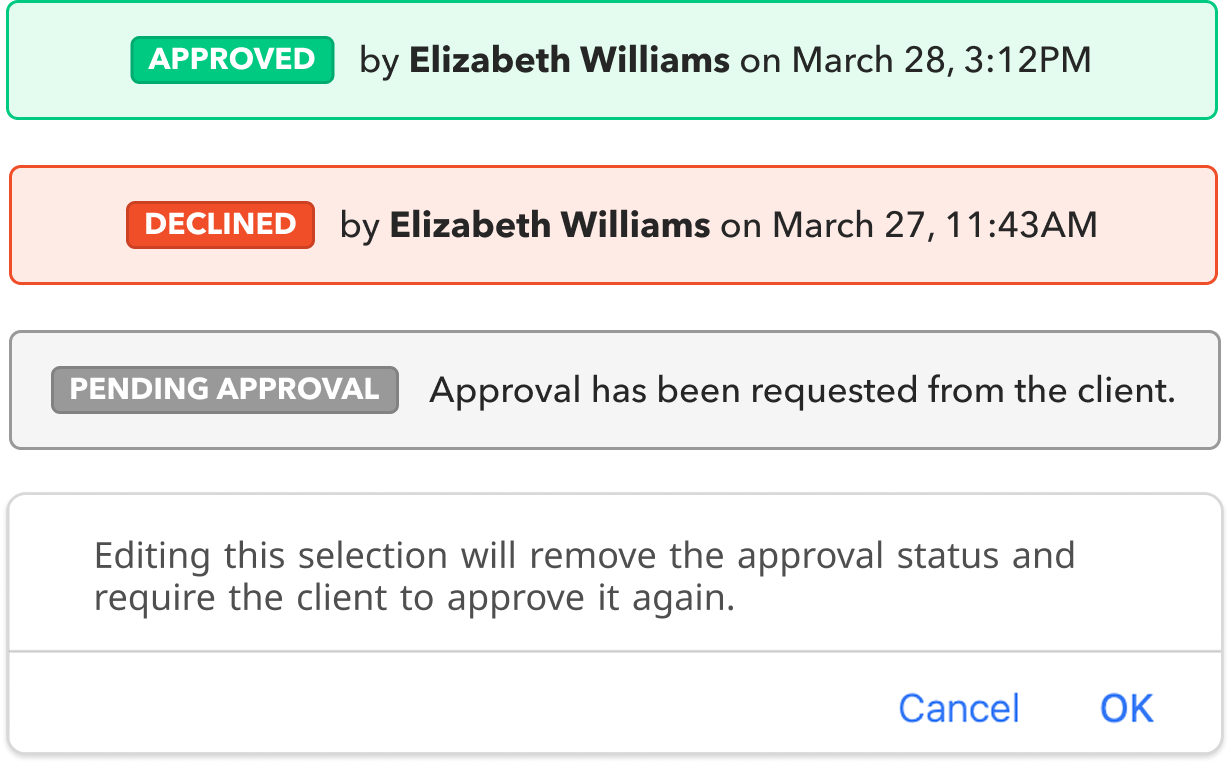
Banners and alert
Once a client approves something, it shouldn’t be editable—otherwise, it defeats the purpose of securing approval in the first place. But what happens when changes are needed after approval?
After consulting with builders, we determined the best approach: if an approved selection or change order needs to be modified, the approval status is removed, changes can be made, and the builder must re-request approval from the client. This ensures transparency and keeps both parties aligned on final decisions.
After consulting with builders, we determined the best approach: if an approved selection or change order needs to be modified, the approval status is removed, changes can be made, and the builder must re-request approval from the client. This ensures transparency and keeps both parties aligned on final decisions.
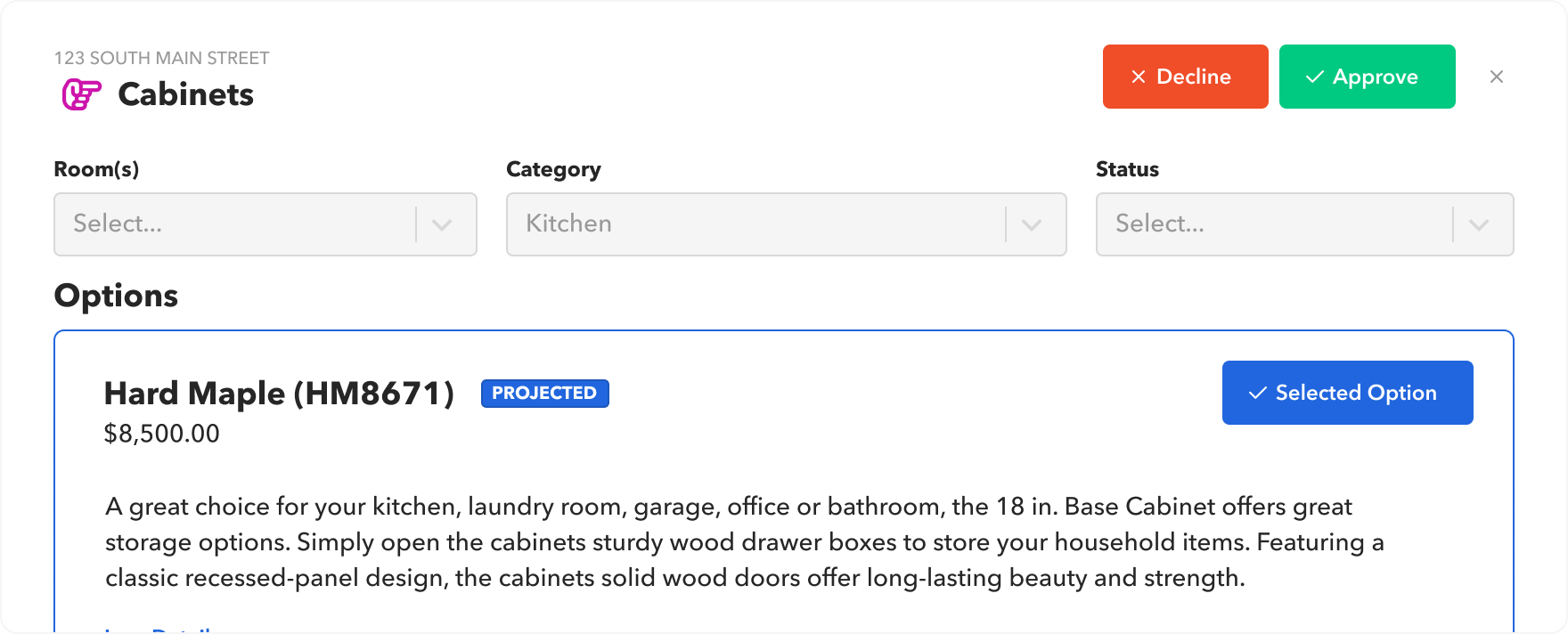
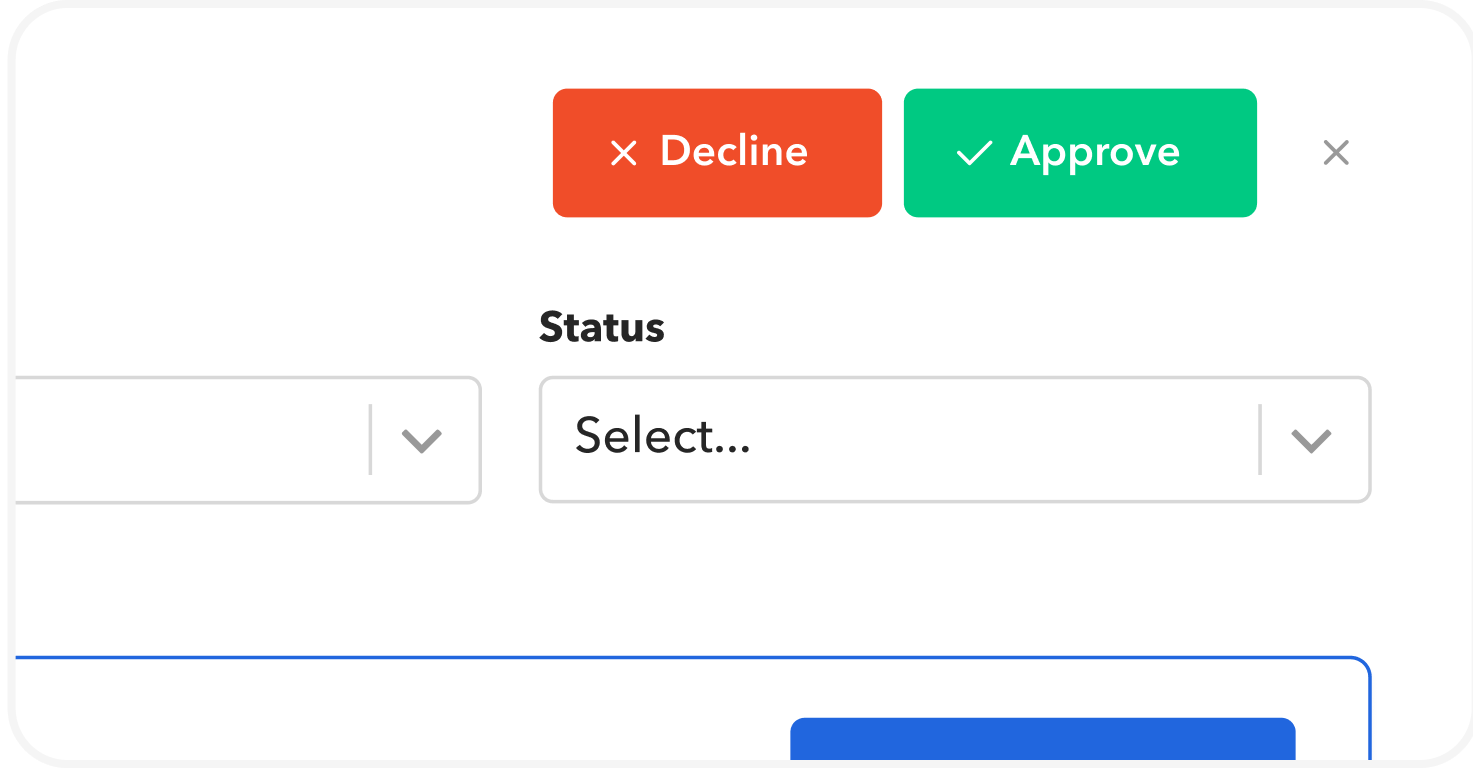
Client view: Approve or
This screen allows clients to review the details of a selection and choose to approve or decline, ensuring a clear and structured decision-making process.
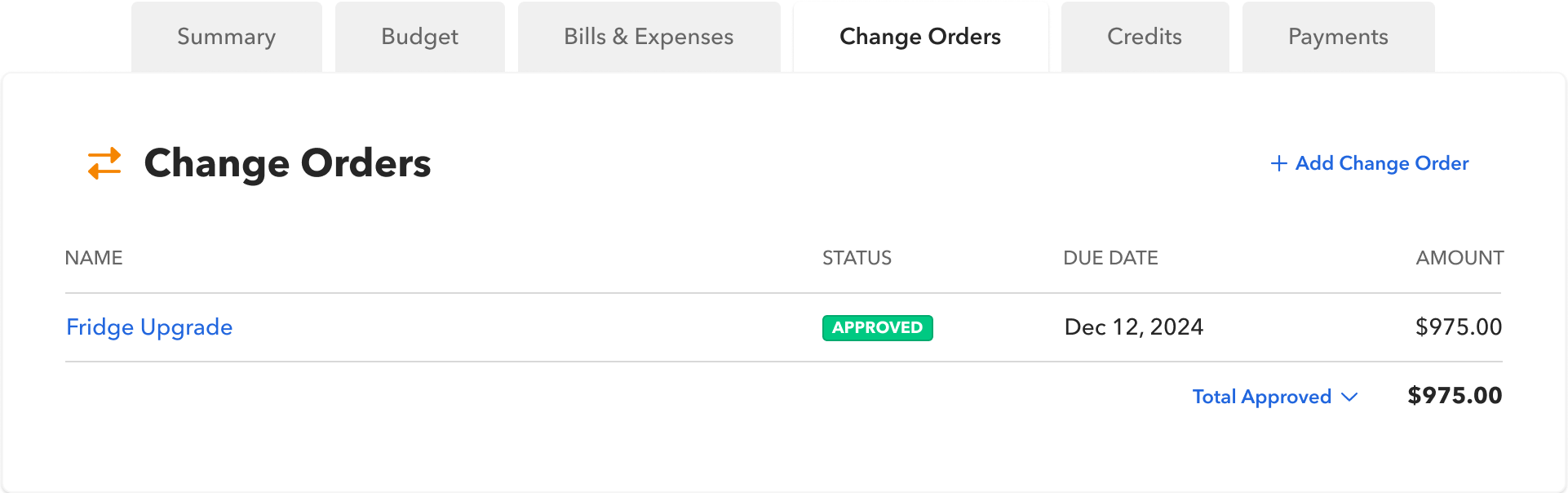
Builder View: Change Orders
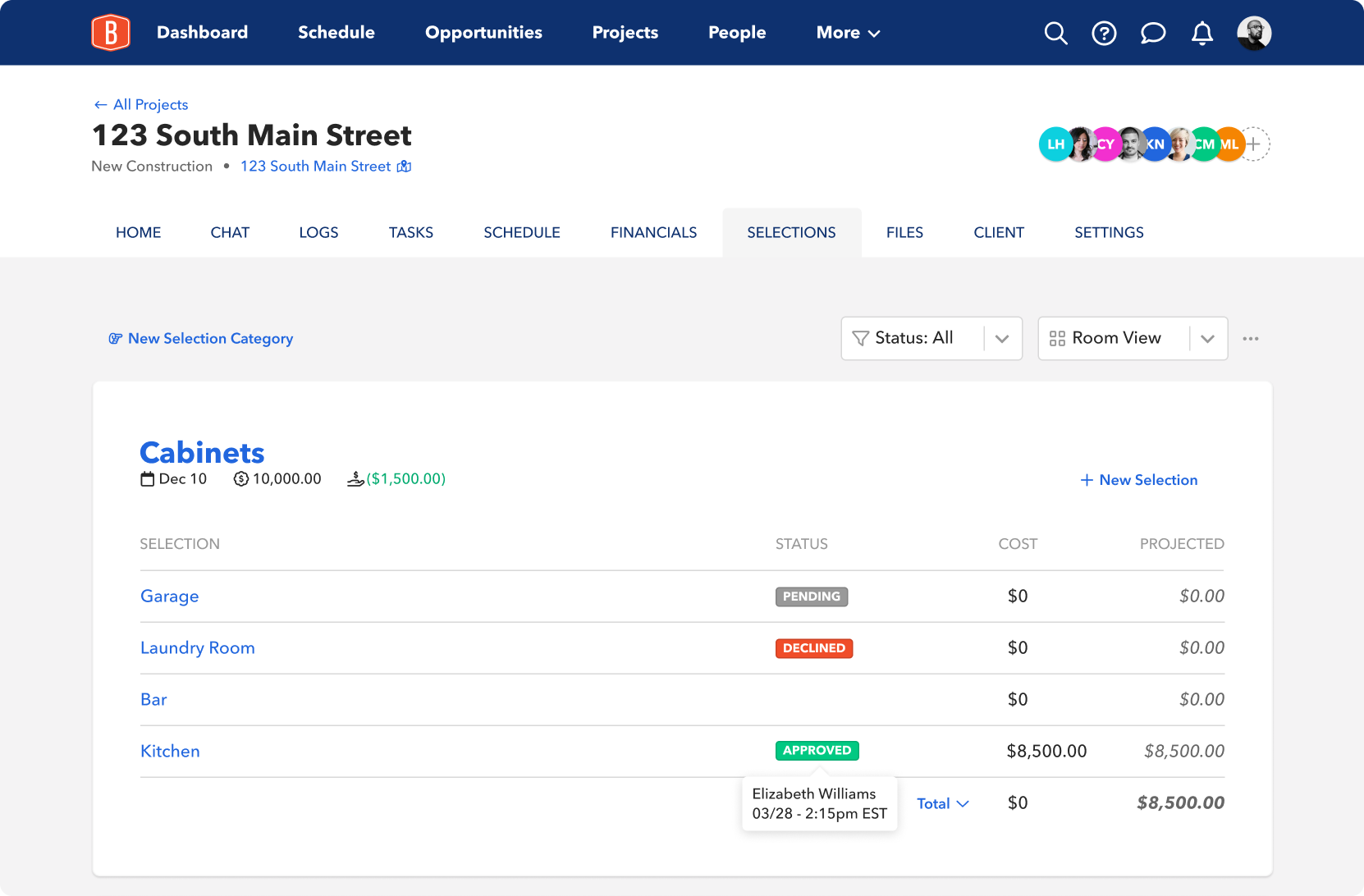
Builder View: Selections
Adding a status column to the selections and change order pages gives builders a quick, at-a-glance view of approvals, making it easier to track progress and manage decisions efficiently.
Signatures
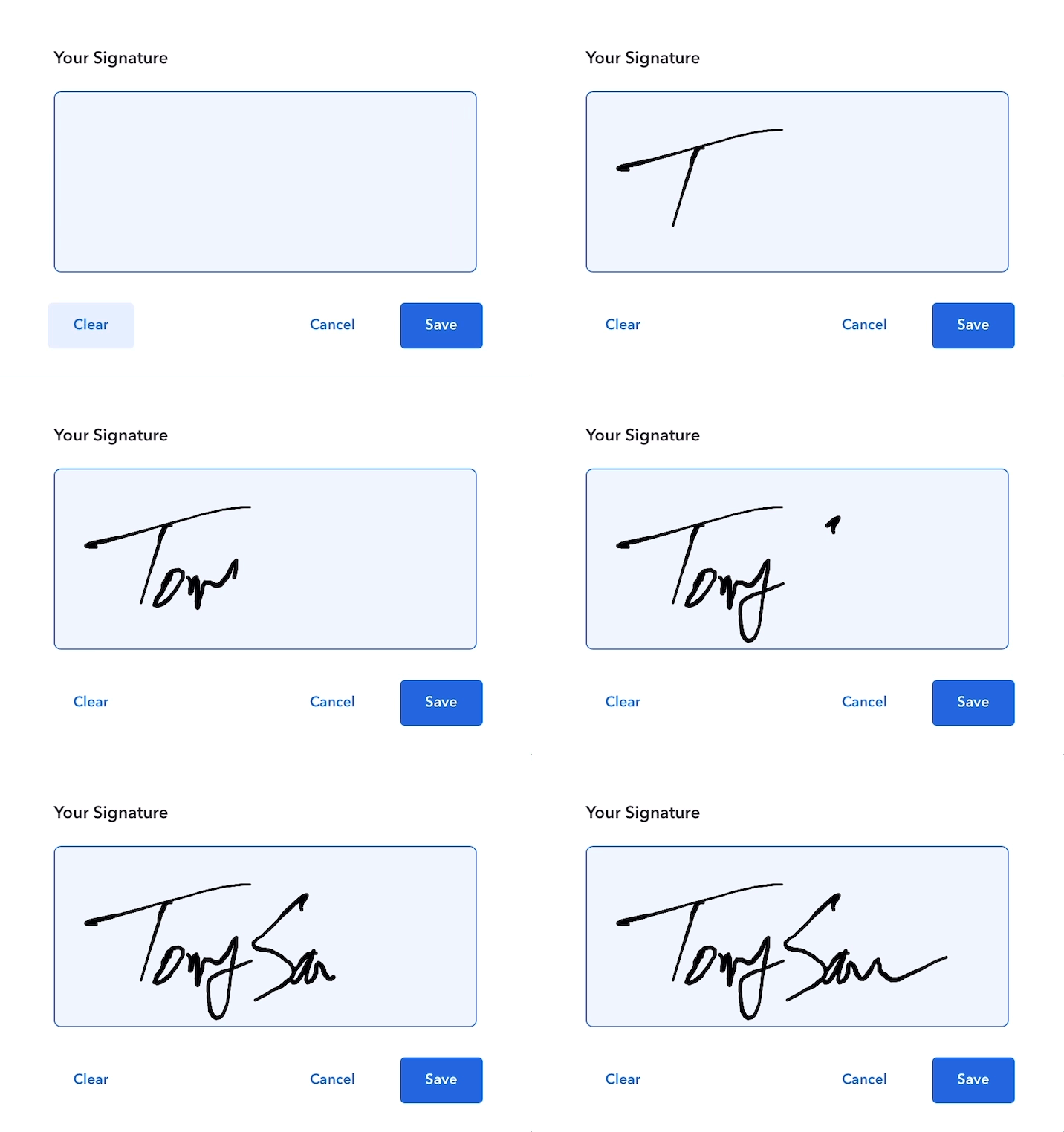
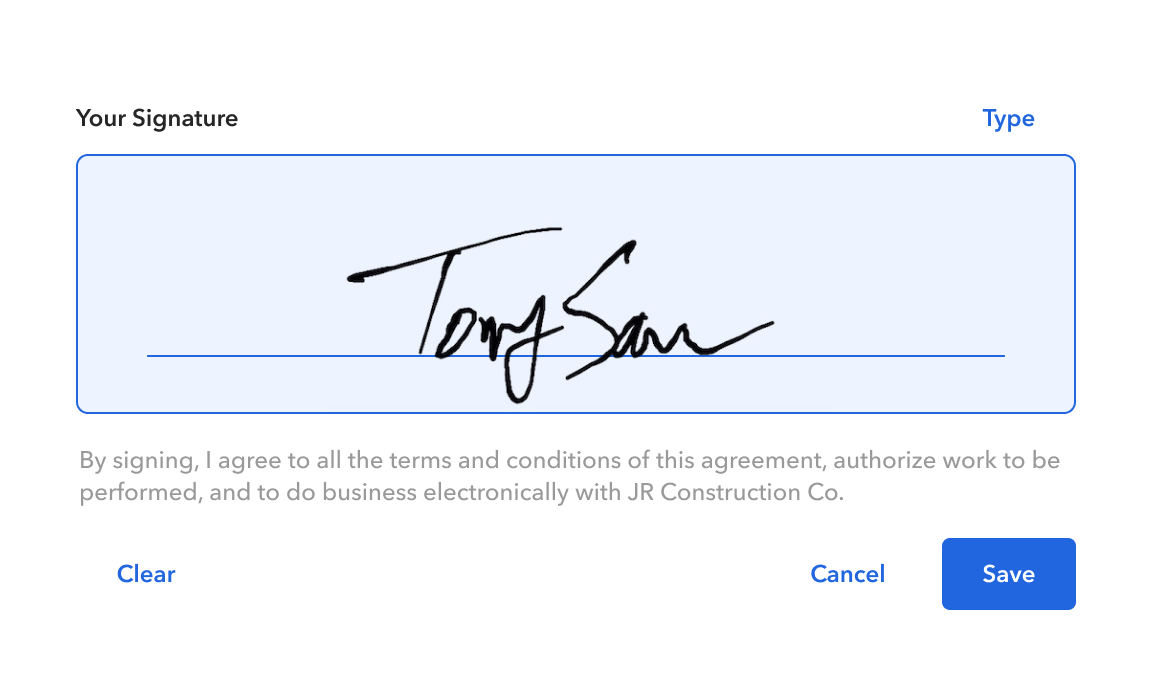
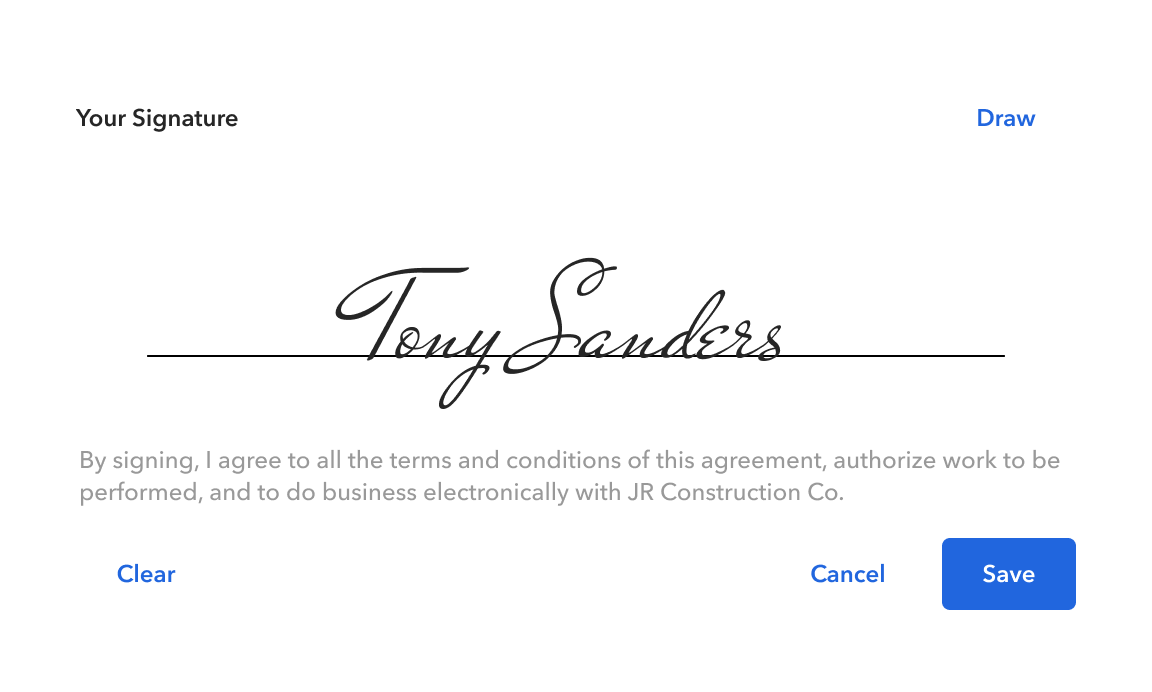
Signature Pad
While freely signing a signature is important, offering a text-based option ensures greater efficiency, accessibility, and clarity. By providing both, we create a user-friendly, legally sound signing process that gives users the flexibility to choose what works best for them.
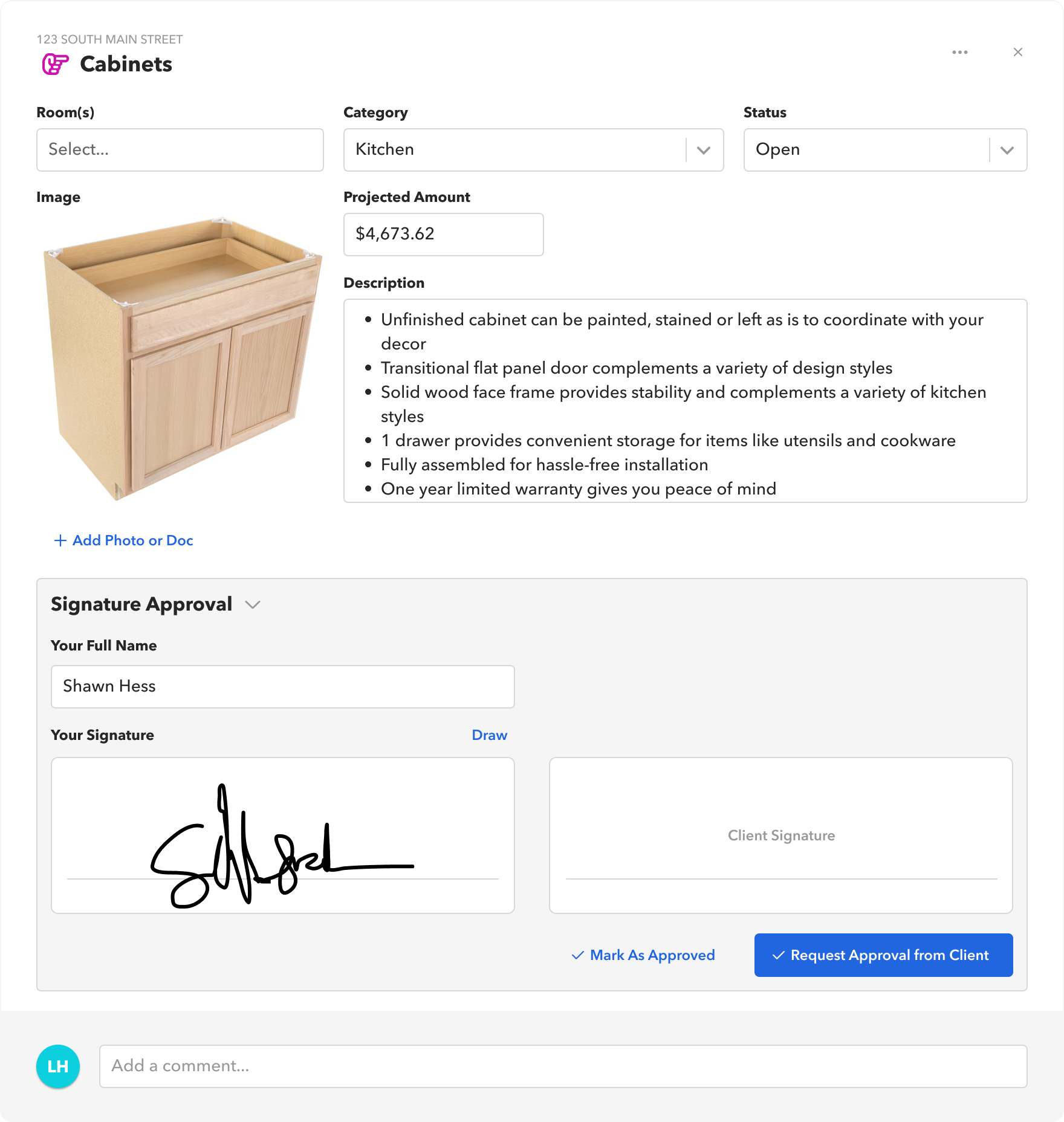
Builder View: Selection option with signature required
We recognized that not every approval required a signature, so we gave builders the flexibility to request an approval on its own or require a signature when necessary.
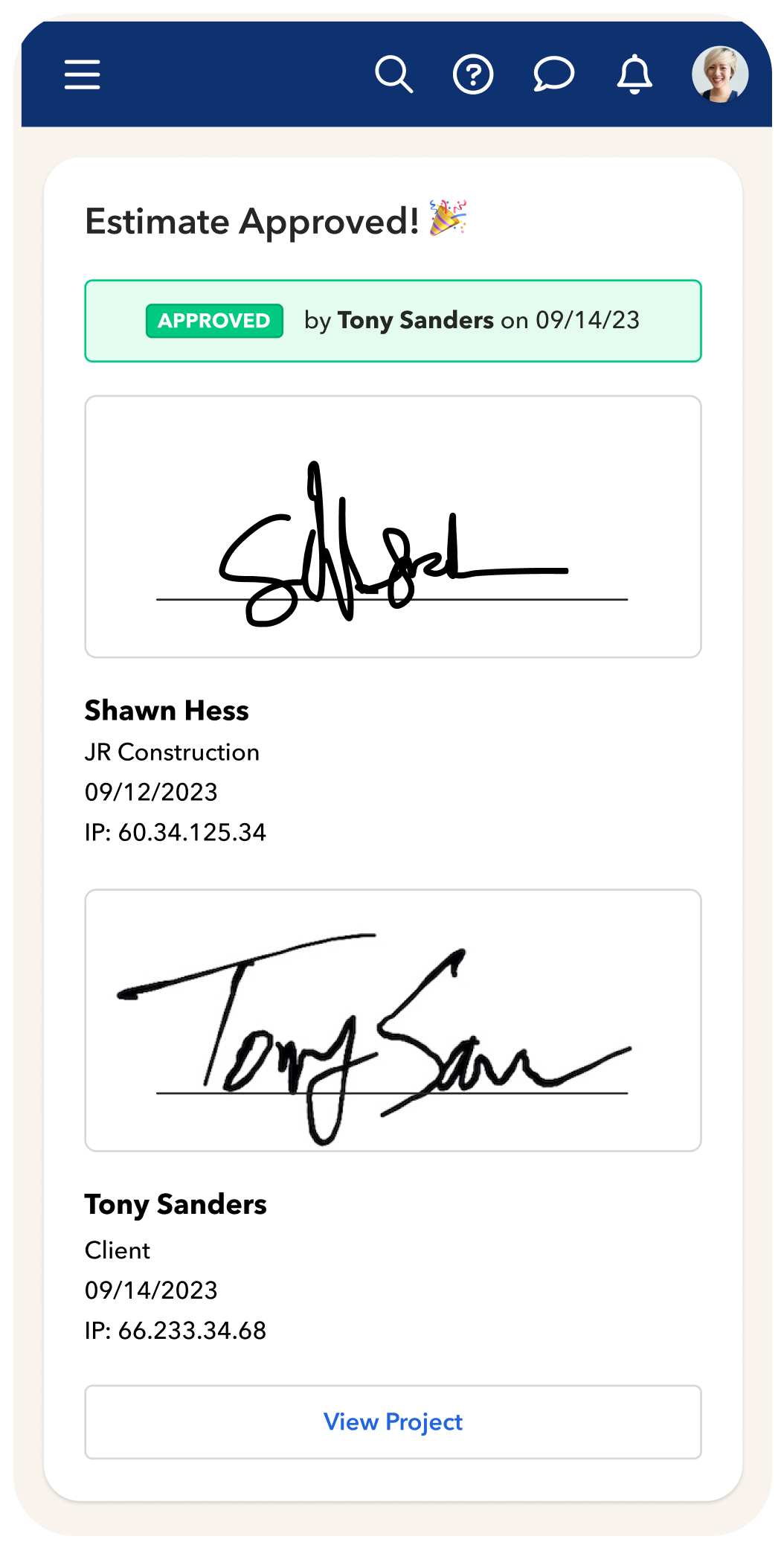
Mobile Client view: Estimate Approved
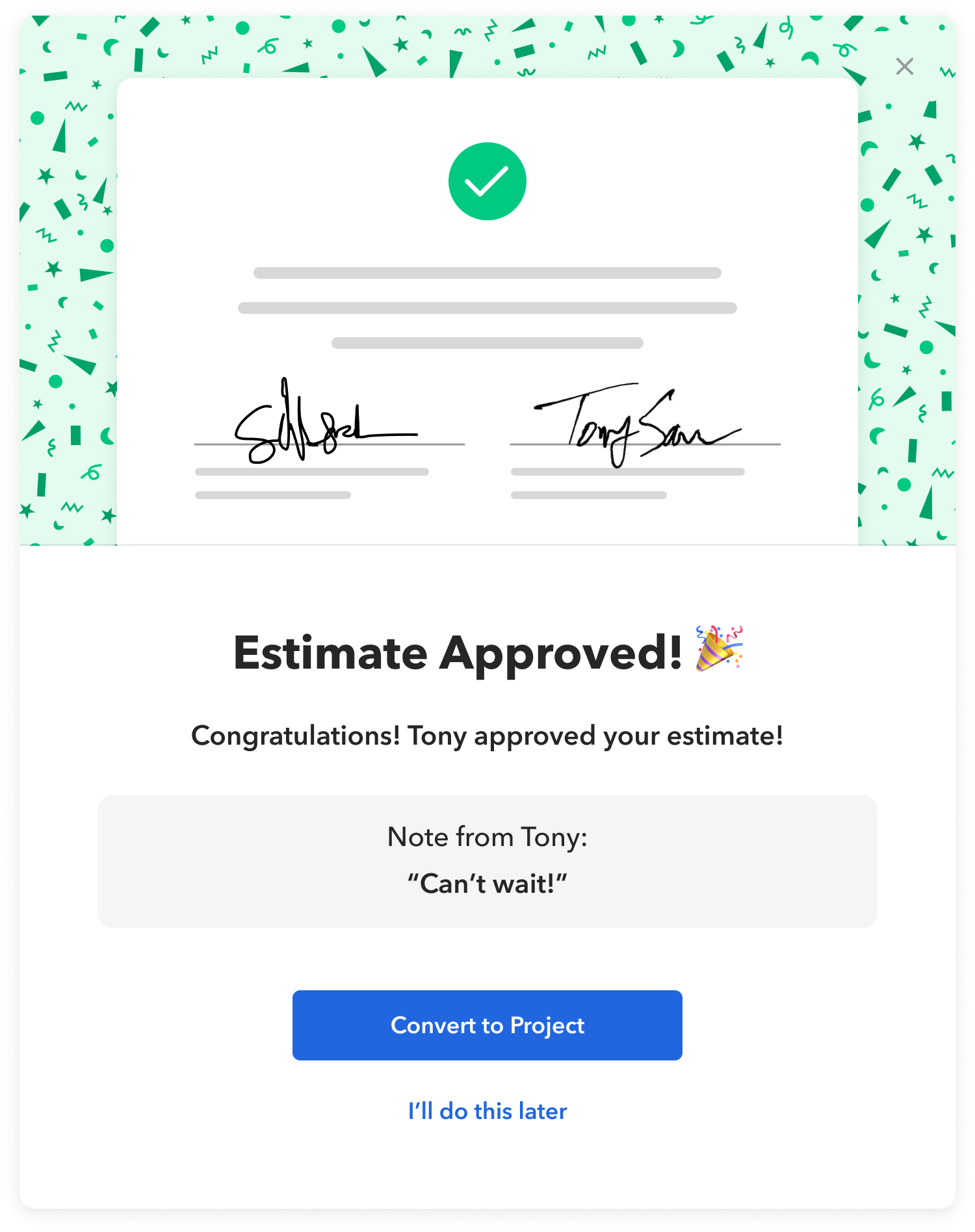
Desktop Builder view: Estimate Approved
Post-game analysis
Designing for both desktop and mobile, while balancing the needs of builders and clients, came with its challenges. Meeting with the development team early on was key—it helped us understand technical constraints upfront, ensuring we made informed design decisions from the start.
Since launch, user feedback has been invaluable in shaping future improvements. Some highly requested features include version history and the ability for clients to approve or decline with additional comments—both of which would enhance clarity and communication in the approval process.
Since launch, user feedback has been invaluable in shaping future improvements. Some highly requested features include version history and the ability for clients to approve or decline with additional comments—both of which would enhance clarity and communication in the approval process.